RFID guide
RFID singulation: S0 vs S1 vs S2 vs S3
Why some RFID tags scan straight away while others seem to disappear, and what changing the inventory session can do.
Explore resources
Why does my reader find most items but miss the last few?
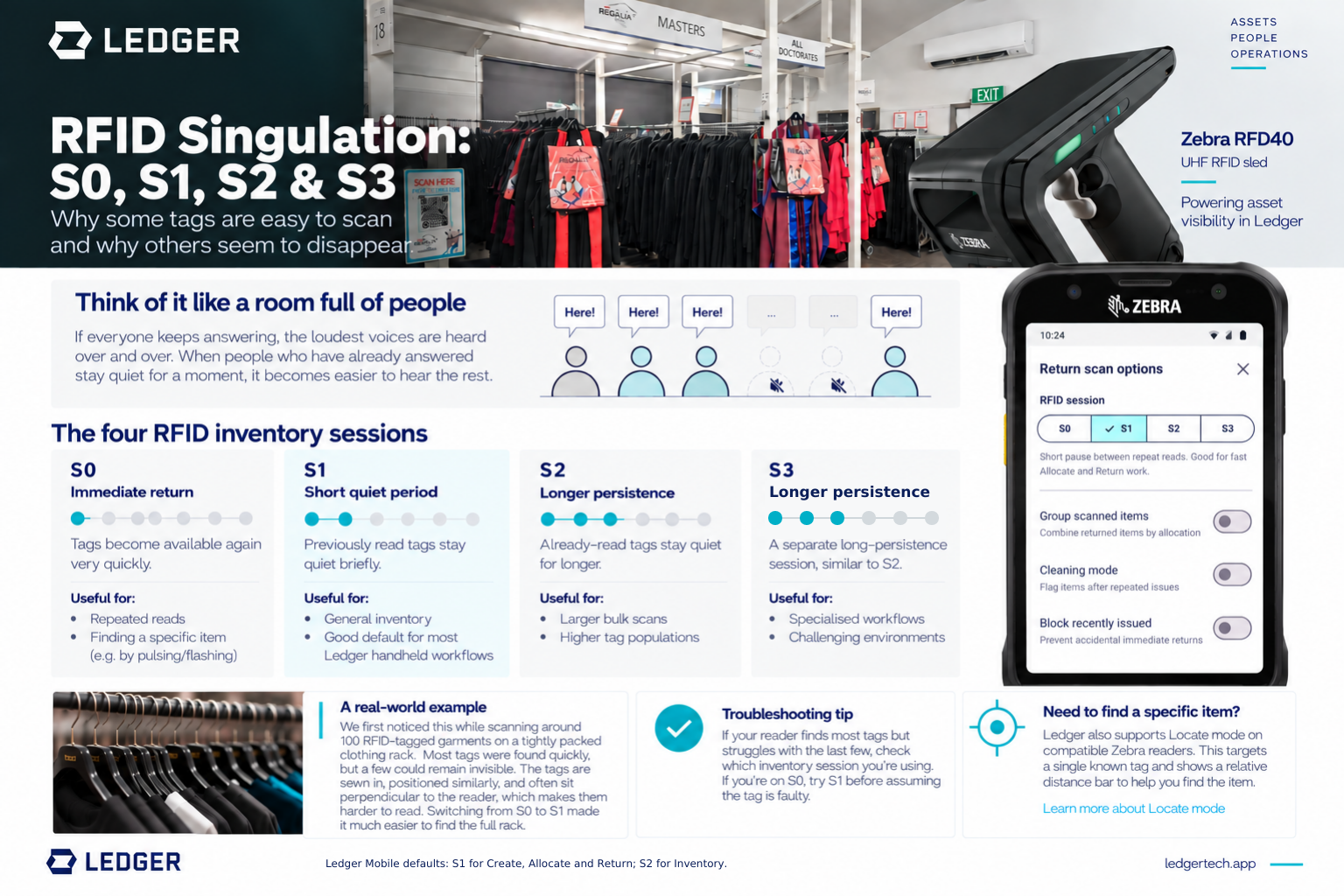
We saw this while scanning a rack of around 100 RFID-tagged garments. The labels were sewn into similar places, leaving tags close together and sometimes at a difficult angle to the handheld reader. Most garments appeared quickly. A few took repeated passes or even moving the garments before they appeared.
Changing the inventory session from S0 to S1 made it noticeably easier to finish the scan. To understand why, it helps to look at what happens inside the reader.
Download the illustrated one-page guide (PDF)
What singulation does
Imagine writing down the names of everyone in a crowded room. If the same people keep calling out, quieter people may take longer to hear. Once you have someone's name, asking them to stay quiet briefly gives the others a chance.
An RFID reader has a similar job. It must identify individual tags among all the tags in range. After a tag has responded, its inventory session affects how long it stays out of the next round of responses.
Ledger can ignore duplicate reads after receiving them. That does not stop already-seen tags from taking part in the reader's radio conversation. The session setting acts earlier, while the reader is working through the tags.
S0, S1, S2 and S3 compared
Each tag has a separate inventoried state for each of the four EPC UHF Gen2 sessions. These are separate settings, not four strength levels.
S0
Available again quickly
The tag can respond again soon after it loses power.
Useful when repeated reads matter.
S1
Default in 3 workflowsA short quiet period
Already-read tags stay quiet briefly, giving others a chance.
Ledger default for Create, Allocate and Return.
S2
Longer persistence
The inventoried state persists after power is lost.
Ledger default for Inventory.
S3
A separate long-persistence session
Its minimum persistence requirement matches S2, not a stronger tier.
Test for specialised workflows.
At normal operating temperatures, S1's state typically lasts 0.5 to 5 seconds. The standard gives S2 and S3 the same minimum persistence requirement after power is lost: more than 2 seconds. It does not rank S3 above S2.
These are useful starting points, not a guarantee of scan performance. Tag design, reader configuration, antenna position, materials nearby and the way items are packed all matter.
What changed on the garment rack
With S0, the easier-to-read garments could become available again quickly. The remaining tags were tightly packed and often presented edge-on to the reader. With S1, tags already found stayed quiet for a short time, giving the harder-to-read tags more opportunities in later inventory rounds. Completing the rack became easier in our testing.
That does not mean a missed tag is always a session problem. If S1 still leaves gaps, move or separate the items, change the reader angle, and check for shielding, metal or poor tag placement.
Which session should I use in Ledger?
Ledger defaults to S1 for Create, Allocate and Return, and S2 for Inventory. Start with the setting shown in your workflow and test against your actual reader, tags and environment. If the same tag needs to trigger repeated reads in quick succession, try S0. S2 and S3 can suit larger or more specialised scans, but neither is the universal choice.
You can change the session in Ledger's RFID settings and within individual workflows, so one setting does not have to cover every job.
Change the session in a workflow
In Return scan options, choose S0, S1, S2 or S3 before you scan. The screenshot shows S1 selected.
Finding one known tag
If you need to find one specific item, that is a different task from inventorying a whole group. On compatible Zebra readers, Ledger's Locate mode targets a known tag and shows a relative-distance bar as you move towards it. Locate mode is separate from the S0 to S3 inventory-session setting.
The guide at a glance