
Solution · Register and Deploy
Connect each asset to its destination.
Create or identify an asset record, link its RFID tag and record its association with the intended recipient or destination during deployment.
Software, suitable hardware and implementation in New Zealand.
A destination-linked record.
Connect the physical asset with its recorded destination.
Build the record as deployment happens.
Separate asset lists and destination records leave teams with reconciliation work. Ledger brings physical identification and the intended destination together in the deployment workflow.
Identify the asset
Link the physical asset identifier and RFID tag with its digital record.
Record the destination
Associate the asset with the intended recipient, property or destination.
Review recorded progress
Bring the records together so managers can see what has been captured and what needs checking.
The workflow
Register, associate, review.
Start with the intended destination. Capture the asset in a repeatable sequence and complete the configured deployment action.
Prepare destinations
Use the intended recipient or destination information for the job.
Identify the asset
Scan the tag and create or identify the corresponding asset record.
Record deployment
Complete the workflow that associates the asset with its intended destination.
Review the records
Use captured records to understand progress and investigate gaps.
The setup
Choose the capture point that fits deployment.
The right setup depends on where the asset is identified, how the destination is selected and what records the project needs.
Asset identifiers
Agree which physical identifiers and RFID tags belong in the asset record.
Field capture
Assess reader suitability, the environment and the operator’s scanning sequence.
Destination data
Agree the source and structure of recipient or destination records and any integration.
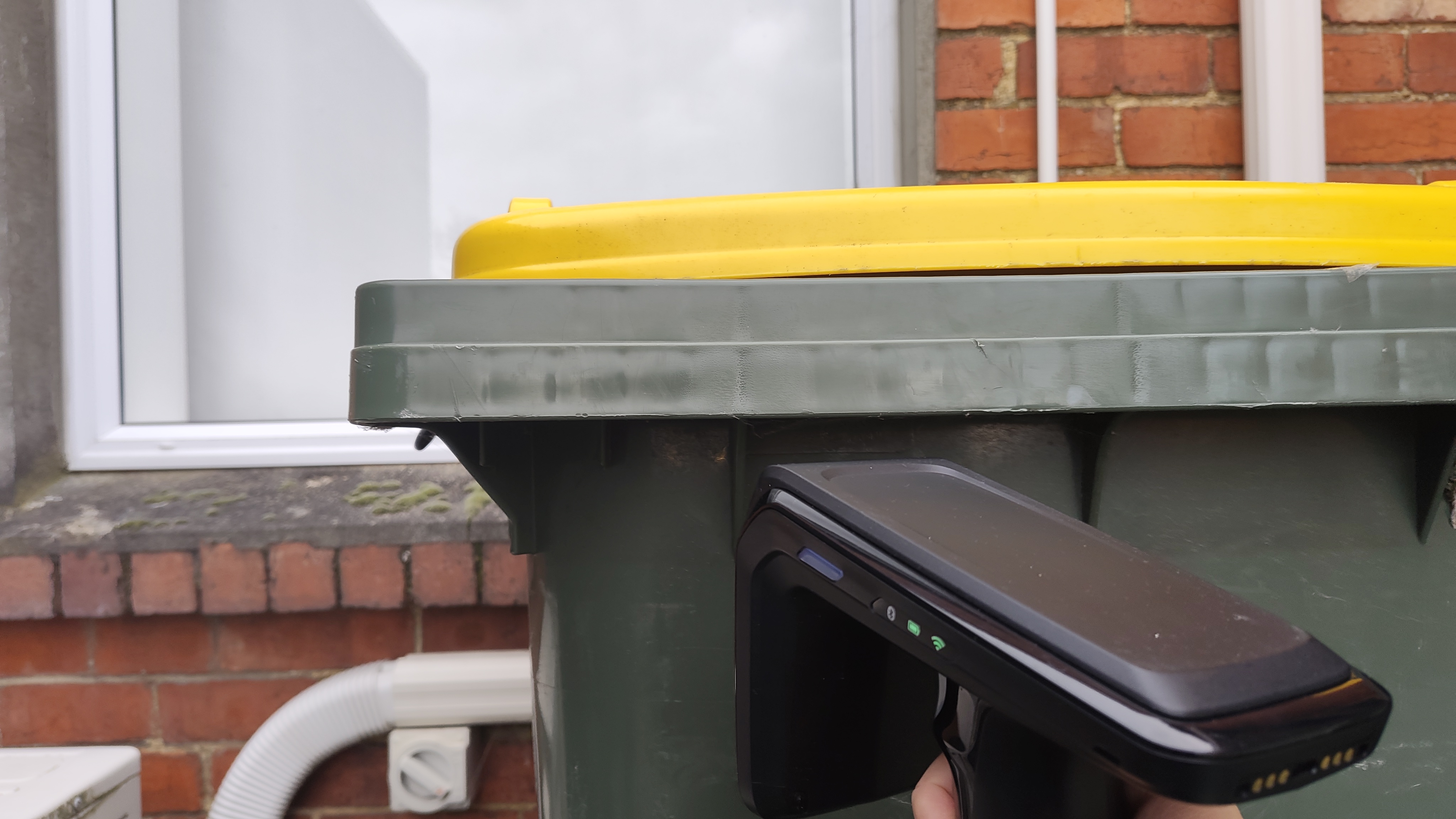
Implementation experience
Deployment records in a bin rollout.
Rotaform managed a rollout of more than 26,000 bins. Ledger supported the field team with scanning, bin records and visibility of recorded progress.
Read the implementation storyGetting started
Software, hardware and a workflow that fits.
For New Zealand projects, we bring Ledger software, suitable RFID equipment and implementation together. We start by assessing your process, then demonstrate the relevant workflow.
You bring knowledge of the operation, your existing records and a person who can own the rollout.
Assess the workflow
Agree what needs to be recorded, where scanning can happen and what staff need to know.
Define the setup
Assess tags and readers, existing data and any integration work. Agree scope, costs and support responsibilities.
Put it into practice
Configure the agreed workflow and plan how staff will use it. Start with a manageable part of the operation.
What goes into the cost?
Project scope covers software access, hardware and tags, and implementation. Any additional integration work is scoped separately. We discuss these components once the workflow and equipment needs are understood.
Outside New Zealand?
International software enquiries are welcome. Wider hardware and implementation support can be discussed for substantial projects.
Explore compatible hardwarePractical answers before you start.
Bring your process and equipment questions to the workflow assessment.
Does deployment mean continuous tracking?
No. The record describes what the deployment workflow captured. Later observations require a reader, integration and workflow designed for that purpose.
Can the process use existing destination records?
We assess the available recipient or destination data and agree how to use it. Additional integration work is scoped as part of the project.
Can this support another deployment process?
We can assess another repeatable asset-deployment process. The records, capture point, equipment and software requirements determine the scope.
Who manages the physical delivery?
Ledger provides the software and agreed capture setup. The delivery team and rollout partners manage the physical work; responsibilities are agreed for each project.
Start with your workflow
Assess the workflow. See Ledger in action.
We’ll talk through your process, assess the scanning and record requirements, then demonstrate the relevant Ledger workflow.
Discuss your deployment workflow Or check your RFID readiness